
ExtraMile®
Chevron U.S.A. Inc.Maps & Navigation
4.8184.00 Reviews
- Version
- 6.0
- Installs
- 100.00K
- Age Rating
- Everyone
Screenshots

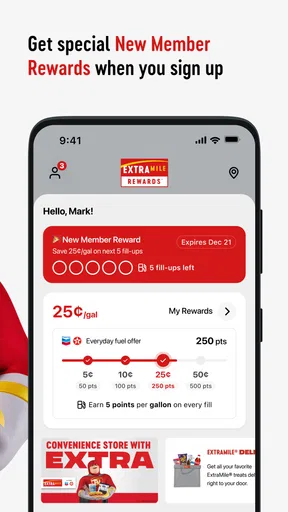
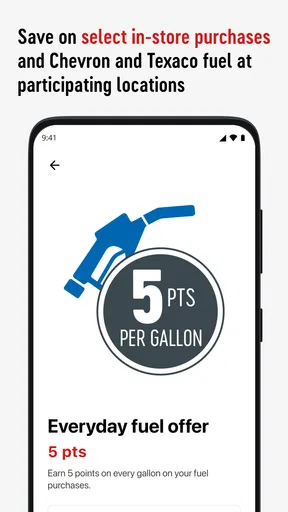
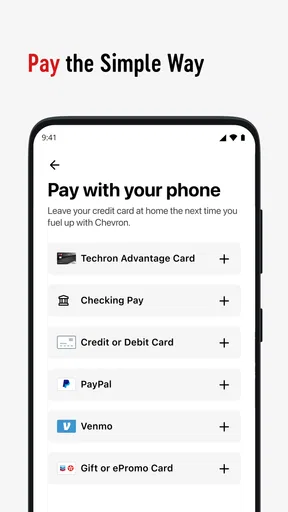
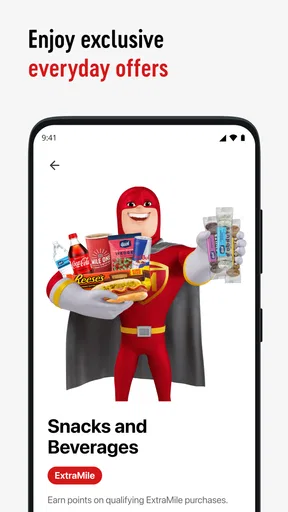
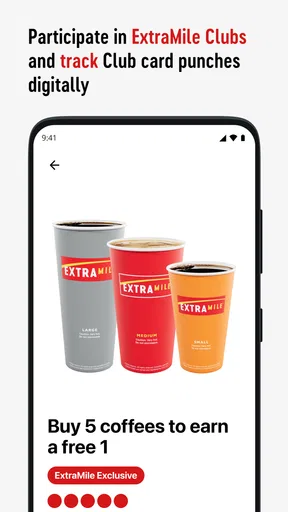
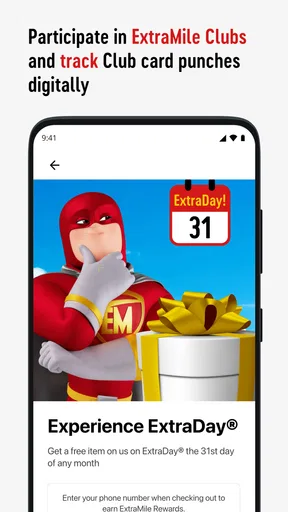
Our Review of ExtraMile®
 Analysis by Appyee
Paying for fuel without leaving the driver’s seat sounds like a small convenience, but it can make a noticeable difference on a busy day. I found ExtraMile® most useful when I wanted to stop for fuel quickly, avoid handling a payment terminal outdoors, and keep the whole visit focused on getting back on the road. It is a free Maps & Navigation app from Chevron U.S.A. Inc., aimed at people who regularly use participating ExtraMile locations.
The basic idea is straightforward: use the app to arrange payment for fuel from inside the car rather than walking into the store or standing at the pump for longer than necessary. That focus is also the app’s main strength. It is not trying to replace a full navigation platform, manage every part of a road trip, or become a general-purpose fuel diary. Its value comes from making one part of a fuel stop less awkward.
I would describe it as a practical companion for routine drivers rather than an essential download for everyone. If you often visit ExtraMile stations, the convenience can justify keeping it installed. If your fuel stops are spread across many brands, the narrower coverage may make a broader payment or navigation solution more useful.
How the everyday fuel-stop workflow feels
I find the routine works best when I treat the app as something to prepare before pulling up, not a shortcut to figure out while I’m at the pump. This section looks at how that small change can make an ordinary stop feel calmer, then turns to the checks that help avoid a last-minute snag.
Start with a simple, repeatable routine
The best way to use the app is to build a habit around it before you need it. I would open it while parked, identify the ExtraMile location I intend to use, and complete the available payment steps before beginning to fuel. That order matters: trying to configure anything while the car is positioned at the pump creates unnecessary distraction and defeats the point of a smoother stop.
For a regular commute, the workflow becomes easy to remember. I can decide where I am stopping, prepare the app before pulling in, and then stay in the vehicle while handling the fuel payment. The benefit is less about saving a dramatic amount of time and more about removing several small interruptions: walking inside, waiting in a line, or repeatedly moving between the pump and the store.
A realistic example is a morning drive when I am already running late and have a child or pet in the car. In that situation, remaining in the vehicle is more comfortable and may feel more manageable than leaving everyone unattended while I pay. I still need to follow safe fueling practices and pay attention to the pump, but the app can reduce the amount of movement around the station.
That does not mean every stop becomes instant. I still need to position the car correctly, select the right pump, and wait for the fueling process itself. The app improves the payment part of the visit; it does not remove the physical steps involved in fueling or solve a busy station layout.
What I would prepare before arriving
My strongest practical advice is to avoid making the first attempt during an urgent stop. Install the app while you have time, look through its basic flow, and become familiar with how it presents a station and payment action. The exact screens may feel obvious after one use, but learning them in a calm setting prevents hesitation when traffic is waiting behind you.
I would also keep the phone accessible without holding it while driving. If I need to interact with the app, I do that before moving or after parking. This is especially important because a payment app is only helpful when it reduces distraction rather than introducing another task during the approach to the station.
Another useful habit is checking the station identity carefully before confirming anything. A nearby location can look like the intended stop on a map, particularly in an unfamiliar area. Matching the displayed location with the station entrance and pump position is a small step, but it helps avoid selecting the wrong place.
Where it fits beside ordinary alternatives
Traditional payment at the pump remains the simplest option for many drivers. If the terminal is working, the line is short, and I am not concerned about leaving the car, inserting or tapping a card may be just as quick. The app becomes more appealing when I value staying inside, prefer a phone-based process, or want a consistent routine at ExtraMile locations.
A general navigation app is better for planning a route, checking traffic, and comparing many fuel stops across different brands. ExtraMile is more specialized. I would use the navigation tool to decide where to go and this app for the payment-focused part of the stop. Treating it as a replacement for a full navigation service would create the wrong expectations.
Paying inside the store still has a place too. Some drivers want to buy snacks, ask a staff member for help, or handle a transaction that the app does not cover. In those cases, the app cannot replace the human interaction. Its advantage is strongest when the only task is fueling and I want to keep the visit contained to the car and pump.
Settings and setup that deserve attention
Because the app’s purpose is narrow, I would not spend a long time changing options just for the sake of customization. Instead, I would check the practical basics: whether the app is signed in correctly, whether the chosen payment method is ready, and whether location access behaves as expected when I am near a station. These checks are more valuable than chasing a complicated setup.
Location behavior is particularly worth understanding. A map-based fuel workflow depends on identifying the correct station, so a phone with location services disabled or behaving inconsistently may require more manual selection. I prefer to verify the location while parked rather than assuming the first nearby result is correct.
I would also review notification behavior according to my own tolerance. Useful alerts can help me notice a payment or transaction state, but excessive notifications can become noise. Since settings differ between phones, I would make the app’s alerts fit the way I normally use my device instead of allowing every prompt to interrupt the day.
The app is free, which makes trying it low-risk. Still, “free” does not mean the fuel itself is free, and I would treat the app as a payment convenience rather than a discount program. Before relying on it, I would make sure the payment method I plan to use is accepted through the app’s current flow and keep a backup method available for a first visit.
Faster patterns for regular users
Experienced use comes from reducing decisions. I would keep one dependable sequence: choose the intended ExtraMile station, confirm the location, prepare payment, select the pump carefully, and only then begin fueling. Repeating that order is faster and safer than improvising at every visit.
Another efficient pattern is preparing while already stopped somewhere nearby. If I am in a parking lot or waiting for someone, I can open the app and get oriented before entering the station. That avoids trying to read a phone screen in a queue and makes the actual stop feel more deliberate.
For a familiar commute, I would also use memory intelligently without becoming careless. Knowing the usual station can speed up selection, but I would still check the displayed location each time. A familiar route does not guarantee that the correct station is selected, and a quick confirmation is worth the few seconds it takes.
When traveling with passengers, I would explain the routine once so everyone understands why I am staying in the car and when the vehicle should remain stationary. This is a small social detail, but it prevents passengers from opening doors or moving around while I am handling the fuel stop.
One non-obvious trade-off is that app-based payment can shift effort from the station to preparation. The stop may feel smoother, but only if the account and payment details are ready. If I have not used the app recently, I would not assume everything is still prepared; I would check before arriving rather than discovering a problem at the pump.
Who benefits most from the app
I see the clearest fit for frequent ExtraMile customers, commuters, parents managing children in the car, and drivers who prefer not to enter a store for a basic fuel purchase. It can also suit people who like keeping routine transactions on their phone and appreciate a consistent process at a familiar station.
The Everyone content rating makes it broadly approachable for general users, although younger users should still use any payment function with appropriate adult supervision. The app runs on devices using Android 8.0 or later, so people with older phones should check compatibility before planning around it.
Its reception is encouraging: it holds a 4.8 average from around 1.2 thousand ratings, with more than a hundred written reviews and over 100 thousand installs. Those figures suggest that the core idea is resonating with a meaningful group of drivers, while also reminding me that popularity does not guarantee the same convenience at every station or on every phone.
Limitations I would consider before switching
The biggest limitation is the app’s dependence on ExtraMile participation. If I usually buy fuel from several unrelated brands, I would not want this to be my only payment tool. A broader navigation or wallet option may reduce the number of apps I need to remember.
There is also a situational limitation: staying in the car is not always the preferred choice. A driver may need to visit the store, speak with staff, buy something else, or resolve a pump issue. In those cases, the app does not remove the reason for going inside, so its convenience becomes less important.
Phone readiness is another consideration. A low battery, poor connectivity, an interrupted sign-in, or an unfamiliar station can make a normal card transaction feel simpler. I would keep a physical payment backup, especially on long drives or when stopping somewhere unfamiliar. That is not a criticism unique to this app; it is a sensible precaution for any phone-dependent payment routine.
I also would not judge the app solely by how quickly the first use goes. The initial setup can feel like extra work compared with tapping a card. The payoff appears over repeated visits, when the same steps become familiar. Occasional ExtraMile customers may decide that the setup is not worth it, while regular customers are more likely to notice the accumulated convenience.
Version, support expectations, and practical trust
The current version is 6.0, and the app was released on November 1, 2024. That places it in a relatively modern part of the app landscape, but version numbers alone do not tell me how every device or station will behave. I would keep it updated through the normal app-store process and test it after a major phone or account change.
Since Chevron U.S.A. Inc. develops the app, the experience is closely tied to the ExtraMile brand rather than being a general payment layer for every fuel retailer. That specialization is useful when it matches my driving habits, but it is also the reason I would not recommend it indiscriminately to someone who rarely visits these stations.
For trust, I would use the same care I apply to any payment app: install it from the official store, protect the phone with a lock, avoid sharing account details, and review the transaction result before driving away. The app can make the physical payment experience easier, but basic account and device security still matter.
My verdict after settling into the routine
ExtraMile® succeeds because it concentrates on one clear problem: paying for fuel while remaining in the comfort of the car. I like that it can turn a familiar station visit into a repeatable sequence instead of another stop that requires walking inside and waiting. For the right driver, that is a meaningful everyday improvement rather than a flashy extra.
I would recommend it to someone who regularly uses ExtraMile locations and is comfortable preparing a phone-based payment workflow. I would especially suggest trying it during a relaxed daytime stop first, then deciding whether the process feels more convenient than paying at the pump. That small test reveals more than the store summary can.
I would skip it as a primary fuel solution if my routes rarely include ExtraMile stations, if I strongly prefer physical cards, or if I frequently need in-store service anyway. A full navigation app plus ordinary pump payment may be simpler in those cases.
For my own use, the winning habit is preparation: select the right station while parked, verify the pump, keep a backup payment method, and never interact with the phone while driving. With those boundaries, the app feels focused and useful. It does not reinvent fueling, but it removes enough friction from the right kind of stop to earn a place on the phone of a regular ExtraMile customer.
Verdict
Strengths of ExtraMile®
- Helps organize recurring errands and tasks in one convenient place.
- Can make routine planning easier for busy users and families.
- Useful for tracking progress toward personal or household goals.
- A practical option for users who prefer structured daily organization.
- May reduce the chance of forgetting important errands or commitments.
Limitations of ExtraMile®
- Some features may require account registration or personal information.
- The usefulness depends on regularly updating tasks and activity details.
- New users may need time to understand the app’s workflow and layout.
- Notifications could become distracting if too many reminders are enabled.
- Compatibility and feature availability may vary between Android and iOS devices.
Other Releases by Chevron U.S.A. Inc.
View All

Similar Picks in This Category
View All
Uber - Request a ride
Uber Technologies, Inc.4.7


inDrive. Rides with fair fares
® SUOL INNOVATIONS LTD4.8

Yandex Go: Taxi Food Delivery
Mikromobilnost LLC Belgrade4.8

Bolt: Request a Ride
Bolt Technology4.8

Rapido: Bike-Taxi, Auto & Cabs
Rapido Bike Taxi4.8
Frequently Asked Questions
What is ExtraMile® and what can I use it for?
ExtraMile® is a mobile application designed to support users with everyday tasks, services, or experiences connected to the ExtraMile® brand. Depending on the version and region, the app may provide access to account information, promotions, participating locations, digital offers, or other convenient features. Before downloading, check the official listing to confirm which services are available in your country and on your device.
Is ExtraMile® free to download and use?
The ExtraMile® app can generally be downloaded without an upfront charge, although some features may depend on purchases, participating promotions, account requirements, or services offered by individual locations. Mobile data charges may also apply when using the app away from Wi-Fi. We recommend reviewing the current App Store or Google Play listing and the app’s terms before registering or using any paid feature.
Do I need an account or personal information to use ExtraMile®?
Some basic areas of ExtraMile® may be accessible without registration, but features such as saving preferences, receiving personalized offers, managing rewards, or viewing account-related information may require you to create an account. Registration can involve details such as an email address, phone number, or location. Read the privacy policy carefully so you understand how your information is collected and used.
Is ExtraMile® available on both Android and iPhone?
ExtraMile® availability depends on the official app release, your operating-system version, and the country associated with your app store account. Users should download the application only from Google Play or Apple’s App Store and verify the developer name, ratings, permissions, and latest update date. If the app does not appear in your store, it may not yet be supported in your region.
What should I check before downloading ExtraMile®?
Before installing ExtraMile®, check whether your device meets the required Android or iOS version and whether you have enough available storage. It is also worth reviewing requested permissions, privacy information, supported regions, and recent user feedback. If the app uses location, notifications, camera, or account access, grant only the permissions needed for the features you intend to use.
